
All Posts
Best AI Tools for Business 2026: Writing, Sales, Support and Ops Tools Compared by Cost
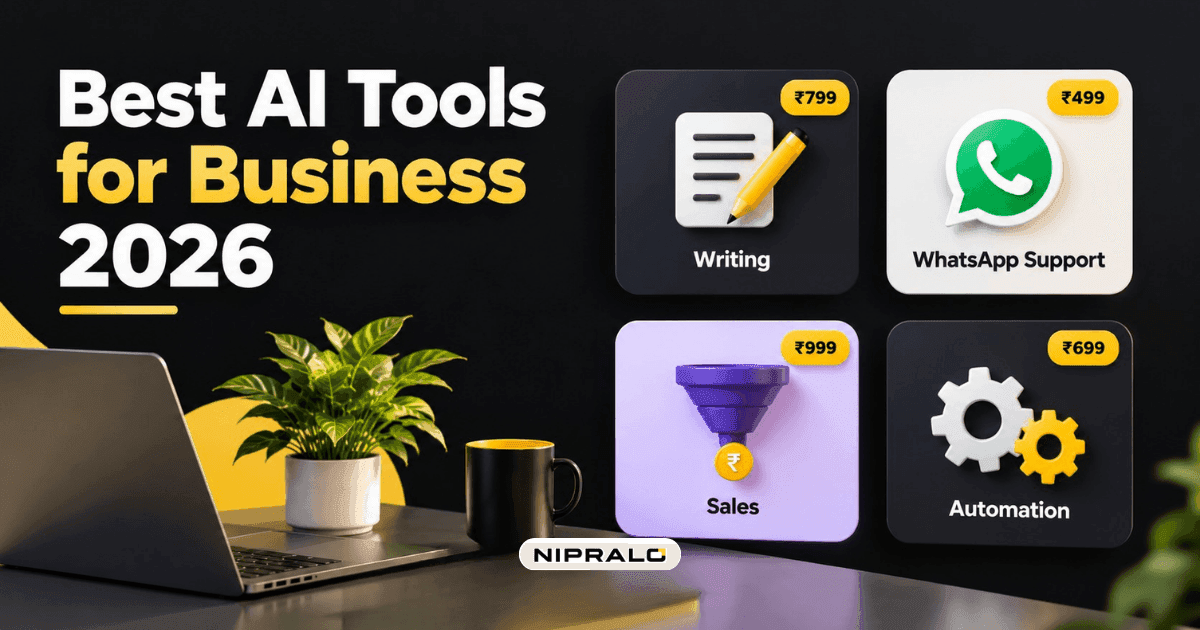
More than half of Indian small businesses now say AI matters for growth. Only one in four actually uses it.
That gap comes from Vi Business's 2026 study of over 250,000 MSMEs: 57% see AI as an important growth driver, but only a quarter have built AI tools into how they work.
The problem is rarely price. Entry-level AI plans in India now start at ₹399 a month, and some are free. The problem is knowing which of the hundreds of tools to buy, for which job, and in what order.
So here are the best AI tools for business in 2026, grouped by the job they do, with what they cost and where they fall short.
Best AI tools for business in 2026: the quick list
Prices are list prices as of mid-2026 and change often. Check the vendor's pricing page before you buy.
Most businesses do not need every row. Start with the first one, add the job that hurts most, and stop there until both pay for themselves.
Writing, research and everyday work
This is where every business should start. One general AI assistant covers emails, proposals, social posts, summarising documents, quick research and working through a spreadsheet.
The big three have different strengths for Indian buyers.
ChatGPT
The default for most people. ChatGPT Go costs ₹399 a month and is free in India as a promotion until December 2026. Plus is ₹1,999 and adds stronger models and deeper research. It bills in rupees and accepts UPI.
Google Gemini
Best if your business already runs on Gmail, Google Docs and Sheets, because it works inside them. AI Plus is ₹399 a month, and AI Pro at ₹1,950 comes free for 18 months for many Jio users.
Claude
Strong at long documents, careful writing and analysis. Claude Pro costs about ₹2,240 a month. The catch for Indian buyers: it still bills in US dollars and does not accept UPI, unlike ChatGPT and Gemini.
Pick one. Paying for all three is a common and avoidable waste.
Customer support on WhatsApp
For most Indian businesses, customers are on WhatsApp, not email. This is where AI saves the most staff time.
Platforms like AiSensy, Interakt and Gupshup sit on top of the official WhatsApp Business API. They let an AI handle common questions, order status and bookings, and pass anything complex to a person. Expect AI features to start around ₹2,000 to ₹4,000 a month, plus Meta's per-message charges.
Two cautions. Feed the AI your real price list, policies and FAQs, or it will guess. And always give customers a clear way to reach a human.
Sales and CRM
If your leads live in spreadsheets and WhatsApp chats, a CRM matters more than the AI inside it.
Zoho CRM is the obvious choice for many Indian SMBs. It is priced in rupees and connects to the rest of the Zoho suite. One thing to know: its Zia AI features, like deal predictions and pipeline insights, only come with the Enterprise edition at about ₹2,400 per user a month and above.
For smaller teams, a cheaper CRM plus a general AI assistant for writing follow-ups often does the same job for less.
Marketing and design
Canva is the easy pick. The AI is built into the plans, not sold separately. Pro costs about $12 a month and includes 2,000 standard AI uses a month for things like writing, background removal and image generation.
Use it for social posts, ads, brochures and presentations. For brand identity work, like a new logo or packaging, a designer still earns their fee.
Meetings and notes
AI note-takers join your calls, write a transcript, and send a summary with action items.
The choice for India is clear on one point. Fireflies supports over 100 languages, including Hindi. Otter supports six, and Hindi is not one of them. If your calls switch between English and Hindi, that settles it. Fireflies Pro starts at $10 a seat a month.
Automation: connecting the tools you have
Once you use two or three tools, the next win is making them talk to each other. A new lead on your website goes into the CRM, gets a WhatsApp reply, and lands in a sheet for the sales team, with no one copying anything.
Zapier is the easiest to set up and connects to over 7,000 apps. n8n is cheaper at volume and can run on your own server, but needs someone technical.
What it costs: three starter stacks
Here is what a sensible setup looks like at three sizes.
None of these needs a developer to start. All of them should be reviewed after 30 days.
What not to buy (yet)
A custom chatbot before you have the basics. Custom builds can cost lakhs. If a WhatsApp platform or a general assistant does 80% of the job, start there.
Overlapping assistants. ChatGPT, Gemini, Claude and Copilot do mostly the same things. One per person is enough.
AI that needs data you don't have. Sales predictions need a clean CRM with history. Forecasting needs clean sales data. Fix the data first.
Tools nobody owns. Every tool needs one person responsible for setting it up and checking it works. Without that, it becomes another unused subscription.
An example
Picture a 15-person textile trading firm in Surat. Orders come in by WhatsApp and phone, quotes go out as PDFs, and the owner spends evenings writing them.
The first step is not a custom AI system. It is one assistant for drafting quotes and emails, a WhatsApp platform to answer stock and price questions, and an automation that drops every new enquiry into a single sheet. Total cost, a few thousand rupees a month. Only once that runs smoothly does it make sense to talk about connecting AI to their billing or ERP.
That next step is where we come in. When off-the-shelf tools stop fitting, our team builds custom software and AI automation around how your business actually works. You can see examples in our web and mobile app portfolio and case studies.
How to roll out AI tools without wasting money
- List your three most repetitive jobs. Quotes, customer replies and data entry are the usual suspects.
- Pick one tool for the biggest one. Use the free tier or a trial first.
- Use it every day for two weeks. Track the time it saves, roughly.
- Keep it only if it clearly pays. If it saves less than its cost in staff time, cancel it.
- Add the next job. One tool at a time, each with an owner.
The bottom line on the best AI tools for business
The best AI tools for business in 2026 are the ones that solve a job you already do every day. For most Indian SMBs, that means one general assistant, one WhatsApp tool for customers, and one automation tool to connect the rest.
Start small, measure, and only then add more. The businesses getting real value from AI are rarely the ones with the most tools.
If you want help working out which tools fit your business, or you have outgrown off-the-shelf tools, book a free 20-min call. Tell us how your team works today. We will tell you what to buy, what to skip, and what is worth building.
Frequently Asked Questions
What are the best AI tools for small businesses?

Most small businesses get the most value from three tools: one general AI assistant such as ChatGPT or Gemini, one WhatsApp AI platform such as AiSensy or Interakt for customer replies, and one automation tool such as Zapier to connect them. Add design, CRM or meeting tools only when a specific job needs them.
Which AI tool is best for business in India?
ChatGPT and Gemini are the easiest starting points for Indian businesses because they bill in rupees, accept UPI and have entry plans from 399 rupees a month. For customer support, WhatsApp AI platforms fit how Indian customers actually communicate. Zoho CRM is a strong rupee-priced option for sales teams.
Are there free AI tools for business?
Yes. ChatGPT Go is free in India as a promotion until December 2026, and Canva, Zoho CRM, Fireflies and Zapier all have free tiers. Free tiers are a good way to test whether a tool saves time before paying for it.
How much do AI tools cost for a small business?
A solo business can start for free or about 399 rupees a month. A team of 5 to 10 people typically spends around 10,000 to 14,000 rupees a month on an assistant, a WhatsApp platform, design and automation. A business of 20 to 50 people might spend 60,000 to 75,000 rupees a month for a fuller setup.
Which AI tool should a business start with?
Start with one general AI assistant such as ChatGPT or Gemini, because it helps with writing, research and analysis across every team. Use it daily for two weeks, keep it if it clearly saves time, and then add a tool for your next most repetitive job.