
All Posts
Cloud Migration Guide 2026: Every Approach, Real Price, and Risk Decoded
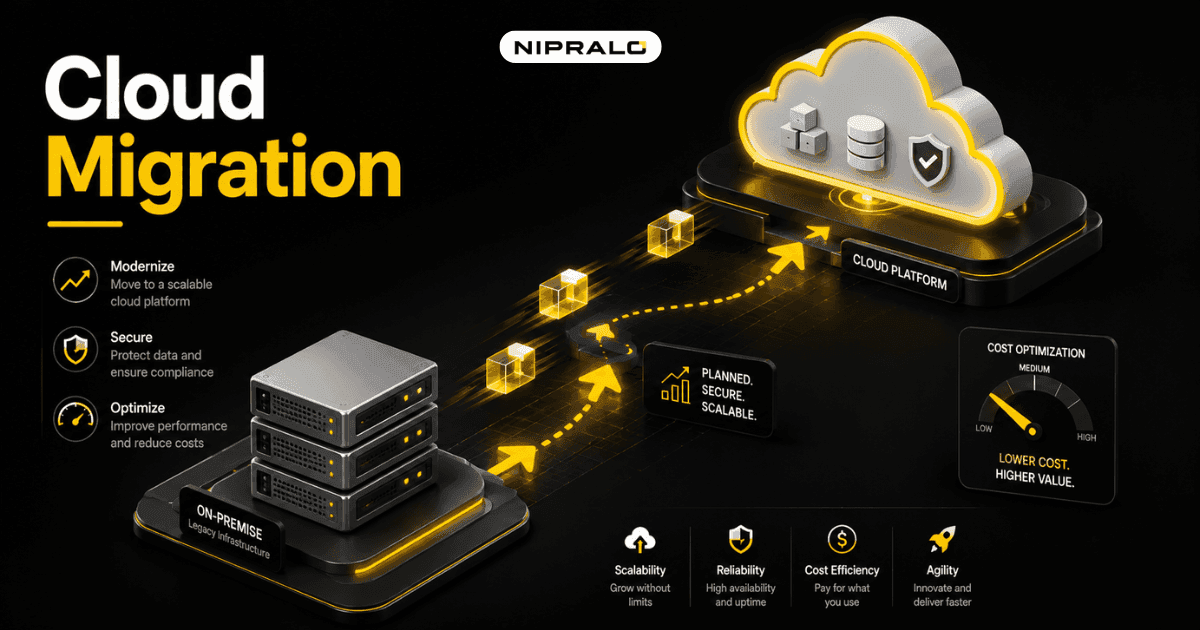
Cloud was sold as the thing that saves you money. For a lot of businesses, the first bill said otherwise.
Here is the uncomfortable truth. A large share of companies report cloud costs higher than they expected, and industry research, usually Flexera's, puts wasted cloud spend at roughly 30% of the total. Idle servers. Oversized instances. Stuff nobody remembers switching on. Some firms have even pulled workloads back on-premise after the numbers spiked.
So the real question in 2026 is not "should we move to the cloud." Most businesses already should, for some of what they run. The question is how. What to move, what to leave, which approach to use, and how to avoid the traps that turn a smart move into a runaway bill. This guide covers all of it, straight, no hype.
What cloud migration actually is
Cloud migration is moving your business's data, apps, and workloads off your own hardware, or an old setup, and onto cloud infrastructure run by a provider like AWS, Microsoft Azure, or Google Cloud. Instead of owning and maintaining servers, you rent computing power that scales up or down as you need it.
That is the mechanical part. The point of it is what changes for the business: you stop babysitting hardware, you pay for what you use, and you can scale in a day instead of a quarter. Done right. Done wrong, you pay for a lot you are not using.
Why businesses move
- Scale on demand. Traffic spikes for a sale? Add capacity in minutes, drop it after.
- Less hardware to own. No server room, no hardware refresh cycle, fewer things to break.
- Work from anywhere. Cloud systems are reachable from any location, which matters for distributed teams.
- Room for AI and heavy compute. Modern AI and data workloads need more power than most on-premise setups can sensibly provide.
Before the how, it helps to know the main ways to move. There are broadly six, often called the "6 Rs".
Most businesses use a mix. Rehost the simple stuff, refactor the app that really matters, retire the junk, retain what is not ready. The skill is matching each workload to the right R, not forcing everything through one.
The cloud migration process, step by step
A migration is not one big switch you flip. It is a sequence, and skipping steps is how budgets blow up.
Step 1: Audit what you actually run
You cannot move what you have not mapped. List every app, database, and workload. Note what depends on what. You will find things you forgot existed and things nobody uses. This audit alone often cuts the job, because the cheapest thing to migrate is the app you switch off instead.
Step 2: Pick a strategy per workload
Now match each item to one of the 6 Rs. Be honest. Not everything needs a shiny rebuild, and not everything belongs in the cloud. This is where a clear head saves the most money.
Step 3: Plan the cost before you move
Estimate the running cost, not just the moving cost. A cloud provider's pricing calculator is your friend here. Model what the workload will actually consume each month. This is the step most businesses skip, and it is exactly why the first bill shocks them.
Step 4: Migrate in waves
Move a small, low-risk workload first. Learn from it. Then move the next. A big-bang migration where everything moves at once is how you end up with everything broken at once. Waves contain the risk.
Step 5: Optimise, always
Once you are in the cloud, the job is not done, it is ongoing. Turn off idle resources. Right-size oversized ones. Set budget alerts. This is where that 30% waste either disappears or quietly drains your account every month.
Here is how the common approaches compare on the trade-offs that matter.
How much does cloud migration cost?
There is no single number, and anyone who gives you one without seeing your setup is guessing. But the cost splits into two parts, and knowing the split protects you.
The one-time cost: planning, moving the data, refactoring apps, and the staff time it eats. This is the number most people budget for.
The ongoing cost: your monthly cloud bill. This is the number most people underestimate, and it is the one that actually hurts. A cheap migration into an expensive, badly-managed cloud setup is a bad deal. A well-planned migration that keeps the monthly bill lean pays back for years.
The trap is optimising the one-time cost and ignoring the ongoing one. Model the monthly bill before you commit. That single habit separates the businesses that save money from the ones that fund that 30% waste. This is a core part of our web and systems work, making sure the move is planned around the running cost, not just the moving cost.
The real risks, and how to handle them
Every migration carries risk. Naming them upfront is how you defuse them.
- Runaway costs. The big one. Handle it by modelling monthly spend first and setting budget alerts from day one.
- Downtime during the move. Handle it by migrating in waves and testing each one before cutting over.
- Data loss. Handle it by backing up everything before you touch it, and verifying the backup actually restores.
- Security gaps. A misconfigured cloud setup is a common breach cause. Handle it with proper access controls and a review before go-live.
- Lock-in. Building so deep into one provider that leaving becomes impossible. Handle it by keeping an eye on portability for your core systems.
None of these are reasons not to move. They are reasons to move with a plan. For the vendor frameworks behind all this, AWS's migration guidance and Microsoft's Azure migration docs are solid references, and you can see the range of what our team builds on our web and app work.
Where should your business start?
Not with the app that runs everything. Start with something low-risk and self-contained: a file store, an internal tool, a test environment. Move that, learn how your team and your provider behave, then move the important things with that experience behind you. Momentum from one clean, cheap win beats a grand plan you are too nervous to begin.
The short version
Cloud migration is moving your apps and data off your own hardware onto rented cloud infrastructure. The upside is real: scale on demand, less hardware, room for AI. The trap is just as real: roughly 30% of cloud spend gets wasted, and the monthly bill, not the move, is what hurts. Audit first, match each workload to the right approach, model the running cost before you commit, move in waves, and never stop optimising. Do that and cloud saves you money. Skip it and cloud becomes the subscription that quietly eats your budget.
Thinking about moving to the cloud?
Book a free 20-minute call. Our team will look at what you run today, tell you what is worth moving, what to leave, and roughly what the monthly bill should look like.
Frequently Asked Questions
What is cloud migration in simple terms?

Cloud migration is moving your business's data, apps, and workloads off your own hardware and onto cloud infrastructure run by a provider like AWS, Azure, or Google Cloud. Instead of owning servers, you rent computing power that scales up or down as you need it.
What are the main cloud migration strategies?
There are six common approaches, often called the 6 Rs: rehost (lift and shift), replatform (move with small tweaks), repurchase (switch to a SaaS product), refactor (rebuild for the cloud), retire (switch off unused apps), and retain (leave on-premise for now). Most businesses use a mix.
How much does cloud migration cost?
There is no single figure, but the cost splits in two: a one-time cost for planning, moving, and rebuilding, and an ongoing monthly cloud bill. Most businesses budget for the first and underestimate the second. Modelling the monthly running cost before you commit is what keeps a migration affordable.
What are the risks of cloud migration?
The main risks are runaway monthly costs, downtime during the move, data loss, security gaps from misconfiguration, and lock-in to one provider. Each is manageable: model spend and set budget alerts, migrate in waves, back up and verify first, secure access properly, and watch portability for core systems.