
All Posts
Excel vs Custom Software 2026: Hidden Costs, Breaking Points, and Payback Compared
Published
Excel is not your problem.
Excel doing a job it was never built for is. That distinction matters, because most advice on this topic is written by people selling the replacement.
So here is the honest version. Knowing when to stop using Excel and move to custom software is not about the size of your company. It is about whether the spreadsheet has quietly become a system that other people depend on.
One number worth sitting with: audit research summarised across 88 operational spreadsheets found 94% contained at least one error, with an average error rate of around 5% of formula cells. Nobody notices, because spreadsheets are almost never tested.
For a scratch calculation, fine. For pricing, stock levels, or payroll, that is a live risk sitting in a file on someone's laptop.
Why Excel wins early, and keeps winning longer than people admit
Excel is genuinely excellent at what it was designed for: one person, thinking through a problem, changing their mind often.
It costs nothing extra. Everybody already knows it. You can restructure it in ten minutes without filing a change request. No custom system will ever beat that flexibility, and any agency that tells you otherwise is pitching, not advising.
Plenty of businesses run happily on spreadsheets well past ₹5 crore turnover. That is not a failure. The problem starts only when the spreadsheet stops being a tool and becomes infrastructure.
The five breaking points
These are the moments where the cost curve flips. Our team looks for these first in any audit, before anyone talks about budgets.
1. More than one person edits the same file
The moment two people need the same file at the same time, you are running a database without any of the protections a database gives you.
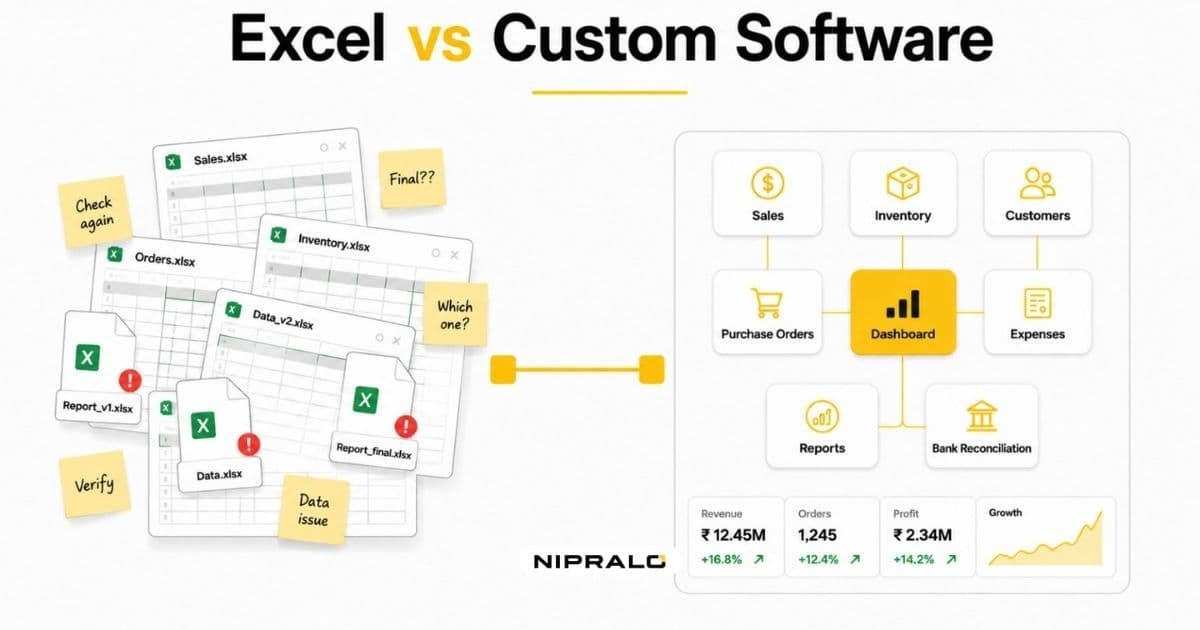
Shared drives help. They do not solve it. You still get overwritten rows, "final_v3_updated" naming, and nobody able to say who changed what.
2. The file feeds a money decision
Pricing, discounts, stock reorder levels, commissions, payroll. Anything where a wrong cell becomes a wrong rupee.
At a 5% cell error rate, a sheet with 200 formula cells statistically contains around ten errors. You will find two of them. The rest just quietly change your margins.
3. You need history, not just the current state
Excel shows you what a number is. It rarely shows you what it was last Tuesday, who changed it, and why.
The day you need an audit trail is usually the day you least want to be building one: a GST query, a bank loan, a customer dispute, a due diligence request.
4. The process has rules the file cannot enforce
"Never dispatch before payment clears." "Discounts above 15% need approval." "This field must be a valid GSTIN."
In a spreadsheet, those are rules people remember. In software, they are rules the system enforces. The gap between the two is where most operational mistakes live.
5. One person is the only one who understands it
Every business has that one master file, and the one person who built it. Column M is hidden for a reason only they know.
That is not a software issue, it is a continuity risk. If they resign, so does a chunk of your operations.
The cost of staying, counted properly
Excel's price tag is the most misleading number in business software, because the cost shows up as salary instead of licence fees.
Count these four:
Time. Add up the hours per week your team spends assembling, cleaning, chasing, and reconciling files. Not the analysis. Just the moving of data. Most businesses are shocked at the total, and it is the easiest number to defend a budget with.
Rework. Wrong invoices reissued. Stock counts recounted. Reports rebuilt because two versions disagreed. This one is real but nobody logs it, so you will have to estimate.
Delay. Decisions made on last week's numbers. A stock-out that a live dashboard would have flagged on Monday. Hard to quantify, usually the largest of the four.
Risk. Compliance exposure, key-person dependency, and the file with no backup. Low probability, high cost.
A 2025 AutoRek study reported by TechRadar found that while 82% of firms had automation on their roadmap, only 43% planned to actually implement anything within six to twelve months. The intent is everywhere. The action is not.
The cost of building, counted honestly
Custom software has its own hidden costs, and vendors are quieter about these.
Indian market pricing in 2026 sits roughly like this: a focused single-purpose application starts in the low lakhs, a mid-sized business system covering two or three departments typically lands in the ₹15 to 35 lakh range, and a full multi-department ERP goes higher. Ranges vary by agency and scope, so treat any headline number as a starting point for a conversation, not a quote.
Then add the parts people forget. Maintenance typically runs 15 to 20% of build cost per year. Hosting is ongoing. Training takes real time. And data migration from messy spreadsheets is almost always harder than anyone estimates, because the mess only becomes visible when you try to move it.
Timeline matters too. A focused module takes a couple of months. A multi-department system takes longer and should be phased. Anyone promising a full ERP in six weeks is describing a demo, not a system.
When it actually pays back
Here is the payback maths, done the way it should be done rather than the way it usually is.
Say three people each lose six hours a week to spreadsheet admin. That is 18 hours weekly, roughly 900 hours a year. At a loaded cost of ₹400 an hour, you are spending about ₹3.6 lakh a year on moving data around.
Against a ₹12 lakh build, time savings alone give you a payback of over three years. That is not a compelling case, and you should be suspicious of any vendor who stops the calculation there.
The real case is usually different. It is the capacity you unlock, the errors that stop reaching customers, and the decisions you can make on Monday instead of Friday. Those are harder to put on a slide and they are where the actual return sits.
Which leads to the honest rule: if the only benefit you can name is saved hours, patch what you have. If you can name saved hours plus a revenue or risk outcome, a build starts to make sense.
When you should not build
Skip the custom route if your process is genuinely standard. Accounting, payroll, and basic CRM are solved problems, and building your own is expensive nostalgia.
Skip it also if your process is still changing weekly. Software locks in a workflow. Lock in the wrong one and you will pay twice.
And skip it if nobody internally will own the system after launch. Software without an owner rots quietly.
How to decide, in six steps
Do this before you take a single vendor call.
- Pick your worst spreadsheet. The one that causes the most arguments. Start there, not with your whole stack.
- Log every touch for two weeks. Who opens it, what they change, how long it takes. Two weeks of real data beats six months of opinion.
- Cost the time. Hours per week times loaded hourly cost times 52. Now you have a defensible number.
- List the rules that live in people's heads. These are your actual requirements. This list is worth more than any feature wishlist.
- Check if a product already does it. Search properly. If something off-the-shelf covers 80% or more, buy it and stop reading.
- Scope the smallest useful build. One workflow, not the whole business. Ship it, use it for a quarter, then decide what comes next.
Step six is where most projects are won or lost. Businesses that phase their builds tend to finish them. Businesses that try to replace everything at once tend to still be in discovery a year later.
The short answer
Stop using Excel when the spreadsheet becomes infrastructure: when multiple people depend on it, when it drives money decisions, when it needs history it cannot keep, or when one person's absence would stop work.
Move to custom software when your workflow is genuinely yours, when no product fits without bending your business out of shape, and when you can name a benefit beyond saved hours.
Everything in between is a patch job, and patch jobs are underrated. Automate the handoffs, add validation, connect two tools. That is often the right answer, and it costs a fraction of a rebuild.
If you want a straight read on which of the three routes fits your situation, our team does this as a free session. We look at your actual files and processes, and if the answer is "keep the spreadsheet, fix two things around it", we will tell you that. You can also browse the systems we have built for growing businesses or see what we work on across web, apps and ERP.
Not sure if your spreadsheet is worth replacing?
Book a free 20-minute call. Bring your worst spreadsheet. We will tell you whether it needs automation, an off-the-shelf tool, or a build, and roughly what each would cost. No deck, no pressure.
Frequently Asked Questions
When should a business stop using Excel for its operations?

The trigger is not company size, it is dependency. Stop when multiple people need to edit the same file, when the sheet drives pricing, stock or payroll decisions, when you need a record of who changed what, or when only one person truly understands how it works. Any one of those means the spreadsheet has become infrastructure rather than a tool.
When should a business stop using Excel for its operations?
The trigger is not company size, it is dependency. Stop when multiple people need to edit the same file, when the sheet drives pricing, stock or payroll decisions, when you need a record of who changed what, or when only one person truly understands how it works. Any one of those means the spreadsheet has become infrastructure rather than a tool.
What are the biggest limitations of running a business on spreadsheets?
Indian pricing in 2026 generally runs from a few lakh for a focused single-purpose application to roughly 15 to 35 lakh for a mid-sized business system, plus 15 to 20 percent of build cost per year for maintenance. SaaS looks cheaper upfront but its cost grows with every user and every annual price rise. The comparison that matters is total cost over three to five years, not month one.
Is it cheaper to build custom software or buy off-the-shelf?
Off-the-shelf is almost always cheaper if it covers about 80 percent or more of what you need. Building becomes the better value when your workflow is genuinely unusual, when per-user licence costs across a large team overtake the build cost, or when you need full control of your data. If the only benefit you can name is saved hours, buying or patching is usually the smarter call.
How long does it take to move business data from Excel into a custom system?
Migration is usually the most underestimated part of the project. A single clean spreadsheet can move in days, but most real-world files need cleaning, deduplication and rule decisions first, which commonly takes a few weeks. Plan for the mess to become visible only once you start moving it, and phase the migration one workflow at a time.