
All Posts
Website Gets Visitors But No Calls? Here's What's Quietly Killing Conversions
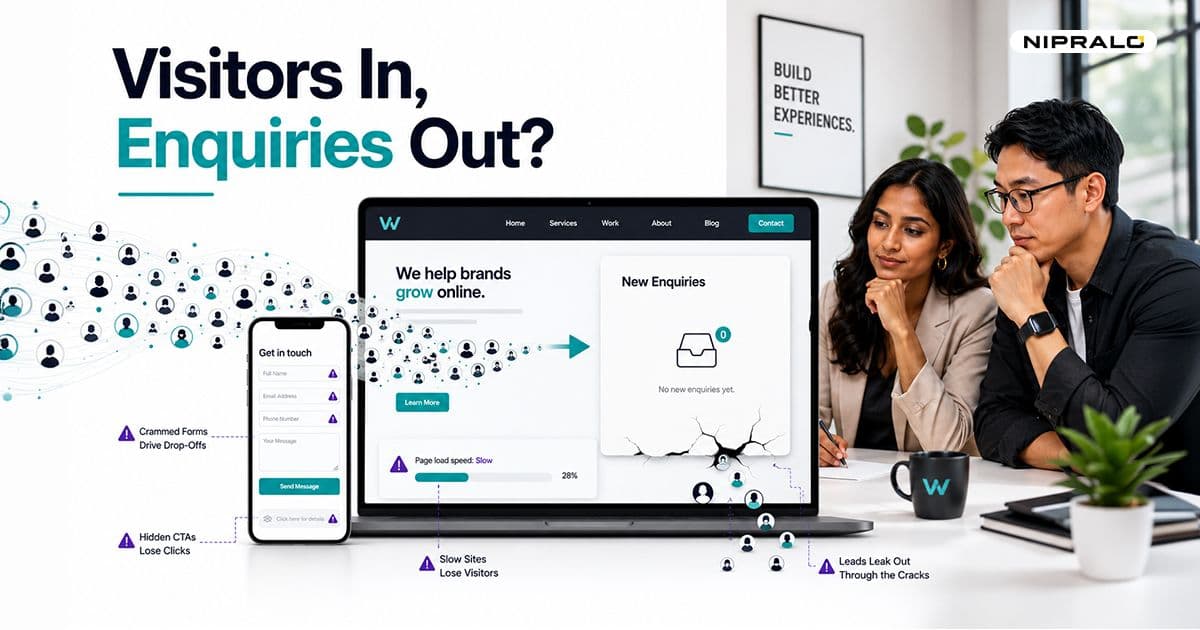
Your website gets visitors but no enquiries. Here's why.
Your website gets traffic. Maybe a few hundred visits a month, maybe a few thousand. But the phone stays quiet. The enquiry form sits empty. So the gut reaction kicks in: spend more on ads, push more SEO, chase more traffic.
Stop. If your website gets visitors but no enquiries, the problem is almost never traffic. It is what happens after they land.
Traffic without leads is a design problem, not a marketing problem. The visitors already showed up. They came, they looked, and something made them leave without acting. Our team sees this every week with businesses across Mumbai and beyond: healthy traffic, dead inbox.
Traffic was never the real problem
Here is the number most owners never see. The average website converts around 2.9% of visitors across industries, and most sites land between 1 and 4 percent. That means 96 or more out of every 100 people leave doing nothing.
So the real question is not "how do I get more visitors." It is "why are the ones I already have walking away."
And it gets sharper on mobile. India runs on phones now. Roughly 80% of all web traffic here comes from mobile, the highest share of any region in the world. If your site struggles on a phone, you are not losing a slice of your audience. You are losing most of it.
The good news: every reason people leave is fixable. Here are the seven that quietly kill the most enquiries.
The 7 conversion killers, and how to fix each
Killer 1: Your site is too slow
Speed is the first filter, and most sites fail it. Conversion rates drop about 4.42% for every extra second of load time between zero and five seconds, per HubSpot data. Yottaa's 2025 performance index found 63% of visitors bounce from pages that take over four seconds to load. On mobile, more than half leave if a page does not load within three seconds.
People do not wait. A slow site feels broken even when it works. We looked at a Pune retailer whose homepage was stuffed with uncompressed banner images. It took nine seconds to load on 4G. Trimming the images alone pulled it under three, and enquiries started moving again within a month.
The fix: compress your images, cut heavy scripts and pop-ups, and aim for a load time under three seconds. Test your real pages, not just the homepage, with a free tool like Google's PageSpeed Insights. If the scores are red, that is your single biggest leak.
Killer 2: It falls apart on mobile
A site can load fast and still be unusable on a phone. Tiny tap targets. Text you have to pinch to read. Forms that run off the screen. Buttons sitting right under your thumb by accident.
This matters more in India than almost anywhere. Mobile already converts lower than desktop everywhere, around 2.2% against 4.3%. And when four in five of your visitors are on a phone, a clumsy mobile experience caps your entire enquiry count.
The fix: design mobile-first, not mobile-as-an-afterthought. Big thumb-friendly buttons. Readable text without zooming. A contact option always within reach. See how we approach this in our web and mobile work.
Killer 3: Visitors cannot tell what you do in five seconds
People decide fast. Research from CXL found 94% of first impressions are design-related, and 75% of credibility judgments come down to how a site looks and reads. If your headline says something vague like "we deliver quality solutions," visitors have no idea what you actually do, or whether it is for them.
We once reviewed a services firm whose hero line read "Empowering businesses to grow." It sounded fine and meant nothing. Confused visitors do not enquire. They leave.
The fix: your top section should answer three things in one glance. What you do. Who it is for. What to do next. Plain words beat clever ones every time.
Killer 4: There is no obvious next step
Many sites bury the one action they want visitors to take. A faint "Contact Us" link in the footer. A form three clicks deep. No clear button anywhere near the top of the page.
If a visitor has to hunt for how to reach you, most will not bother.
The fix: pick one primary action per page and make it loud. "Book a free call." "Get a quote on WhatsApp." "Request a callback." Repeat it down the page. One clear next step beats five competing ones.
Killer 5: Your contact form asks for too much
This is the leak hiding in plain sight. Across 93 million sessions, Zuko found the average form completion rate is just 51.7%. Half the people who start your form never finish it.
Length is the killer. A 2025 Formstack study found form abandonment hits 67.8% once you ask for more than seven fields. One business cut its form from eleven fields to four and lifted conversions by 120%. Even a single phone-number field can drop completions by around five percent when it feels intrusive.
The fix: ask for the minimum you need to start a conversation. Name, one contact detail, and one line about what they want. You can gather the rest on the call.
Killer 6: Nothing proves you are real or any good
A stranger landed on your site. They have no reason to trust you yet. If there is no proof, no reviews, no client names, no real faces, doubt wins and they leave.
The data is blunt. Sites that show trust signals can convert up to 42% better, according to Nielsen Norman Group. Baymard found 67% of users abandon a site that has no clear contact information at all. And detailed testimonials with real names and results lift conversions 15 to 25%, far more than vague anonymous quotes. A Mumbai consultant we spoke to had a sharp site and zero testimonials on it. Adding five real client quotes changed how the whole page felt.
The fix: show proof. Real testimonials with names. Logos of businesses you have worked with. Google reviews. A genuine team photo. Skip the stock images and fake badges. People spot those instantly.
Killer 7: You make it hard to actually reach you
You would be surprised how many sites hide the phone number. No WhatsApp button. Contact details buried on a separate page. For an Indian audience that lives on WhatsApp, that is a serious miss.
Every extra click between "interested" and "in touch" loses people.
The fix: put a phone number and a WhatsApp link where they stay visible, including a sticky button on mobile. Make reaching you the easiest thing on the whole site.
Where to start if all seven apply
Do not try to fix everything at once. Start where the leak is biggest.
- Speed and mobile first. This is where most visitors drop, especially in India. Fix this and every other change has more traffic to work with.
- Clarity and the call to action. Make what you do and what to do next obvious in five seconds.
- The form and contact options. Cut the fields. Add the WhatsApp button.
- Trust signals. Add real reviews, names, and faces.
Most of these are changes, not rebuilds. You can often see more enquiries within weeks, not months.
A website that gets visitors but no enquiries is not a lost cause. It is a leaking funnel with fixable holes. The traffic you are already paying for keeps showing up. The job is giving it a reason to stay, trust you, and reach out. See what we do on our services page, or grab a quick audit below.
Not sure why your site isn't converting?
Book a free 20-minute call. We'll go through your website, point out the conversion killers losing you enquiries, and tell you what to fix first. No jargon, no pressure.
Frequently Asked Questions
Why does my website get traffic but no leads?

It usually means visitors arrive but hit friction before they enquire. The most common causes are slow load times, a confusing mobile experience, no clear call to action, and a contact form that asks for too much. The traffic is fine. The site is leaking it.
How do I get more enquiries from my website?
Start with speed and mobile, since that is where most visitors drop. Then make your offer clear in the first five seconds, shorten your contact form to three or four fields, and add a visible phone number or WhatsApp button. Small fixes here often lift enquiries within weeks.
What is a good website conversion rate?
Across most industries the average sits around 2.9 percent, with many sites between 1 and 4 percent. Anything above 2 percent is generally healthy for a lead-generation site. If you are under 1 percent, you almost certainly have fixable friction on the page.
Why are visitors leaving my website without contacting me?
Often because the site is slow, unclear, or hard to act on. People decide in seconds, and most credibility judgments are based on how a site looks and reads. If they cannot tell what you do or how to reach you quickly, they leave.
How many fields should a contact form have?
Aim for three to five fields. Form abandonment jumps to nearly 68 percent once you ask for more than seven. Keep it to name, one contact detail, and a short line about what they need. You can collect everything else on the call.